
Android App Design: Best Practices, Process, Tools & Cost
Key Takeaways
- Android app design needs to support different screen sizes, device capabilities, and user contexts rather than relying on a single fixed layout.
- Material Design principles provide a familiar foundation, while adaptive and responsive design help applications work effectively across phones, tablets, and foldable devices.
- Accessibility, readability, navigation, performance, and predictable interactions are essential parts of a strong Android user experience.
- AI can enhance Android app experiences through personalization, recommendations, intelligent search, and context-aware interactions when applied to genuine user needs.
- A structured design process involving research, wireframing, prototyping, visual design, testing, and iteration can reduce usability problems before development and launch.
Design is often treated like decoration, but in reality, Android app design directly influences how users perceive and interact with a product. A strong design helps users understand an app quickly, navigate without confusion, and complete important actions with less friction. Android design also needs to account for diverse devices, adaptive layouts, accessibility, performance, personalization, and increasingly AI-powered experiences.
Android’s broad device ecosystem creates both an opportunity and a design challenge. Different screen sizes, hardware capabilities, network conditions, user preferences, and accessibility needs can all influence how people experience an application. A well-planned Android app user interface should therefore adapt to these variations while maintaining consistency across the product.
Whether you’re a startup working toward product-market fit or an enterprise modernizing an existing digital experience, design should be treated as a strategic part of product development rather than a final visual layer. Working with an experienced Android app development company can also help businesses align design decisions with technical requirements and long-term product goals. This guide explains Android user behavior, design tools, important design considerations, the Android app design process, best practices, emerging trends, and design costs to help businesses create intuitive and scalable applications.
Understanding Android User Behavior: What They Are Expecting
Before you think about layouts, color palettes, or animations, it’s important to understand who you’re designing for. Android devices are used by people across different regions, age groups, network conditions, and device types. You need to understand how real people think, tap, scroll, and make decisions inside your app.
One of the biggest differences between designing apps for Android and designing for other platforms is diversity. Android runs across a wide range of devices, with screen sizes extending from compact phones to large tablets and foldables. This means your Android app user interface should adapt gracefully, load quickly, and remain intuitive across different hardware conditions.
Users also expect familiarity. Google’s Material Design principles and Android UI guidelines provide a common visual and interaction language that can reduce the learning curve. Familiar navigation patterns, clear spacing, readable typography, and predictable interactions help users understand how an application works without having to learn every interface element from scratch. If you need additional expertise to turn these principles into a scalable product, you can hire mobile app developers for startups with experience in Android app design and development.
Why Material Design Still Matters?
Material Design provides a structured foundation for Android interfaces by defining patterns around layout, components, typography, color, motion, and interaction. Rather than copying a predefined visual style, businesses can use these principles as a foundation and adapt them to their brand and product requirements.
The goal is to create an interface that feels familiar while still giving the product a distinct identity. Combining Android design conventions with appropriate branding can make the application easier to use without making it look generic.
Why Should Businesses Focus on Android App Design?
Providing good Android UI/UX helps businesses create experiences that meet user expectations while supporting broader business objectives. Thoughtful design can simplify important journeys, strengthen trust, improve engagement, and make an application easier to use. Here are the benefits businesses get by investing in mobile app design:
1. Increase Conversion Rate and Revenue
Maintaining Android UI design standards can help influence user behavior and guide people toward important actions such as making purchases, signing up, booking services, or subscribing to premium features.
A positive user experience can also foster trust and confidence. When users can understand an application quickly and complete tasks without unnecessary friction, they are more likely to engage with it and return to it.
2. Strengthens Customer Loyalty
Customer loyalty is important for long-term business success. A smooth and engaging user experience can encourage users to continue using an application instead of switching to alternatives.
When businesses invest in professional enterprise application development services, they can align product design with user needs and business goals. A consistent experience across important journeys can improve familiarity, trust, and retention.
3. Creates a Standout Identity
When multiple applications offer similar functionality, design can become an important differentiator. Visual identity, interaction patterns, typography, navigation, and overall usability can influence how users perceive a product.
Businesses can work with a reliable UI/UX design agency to create an interface that follows Android design conventions while maintaining a distinctive brand identity.
What are the Top Android App Design Tools?
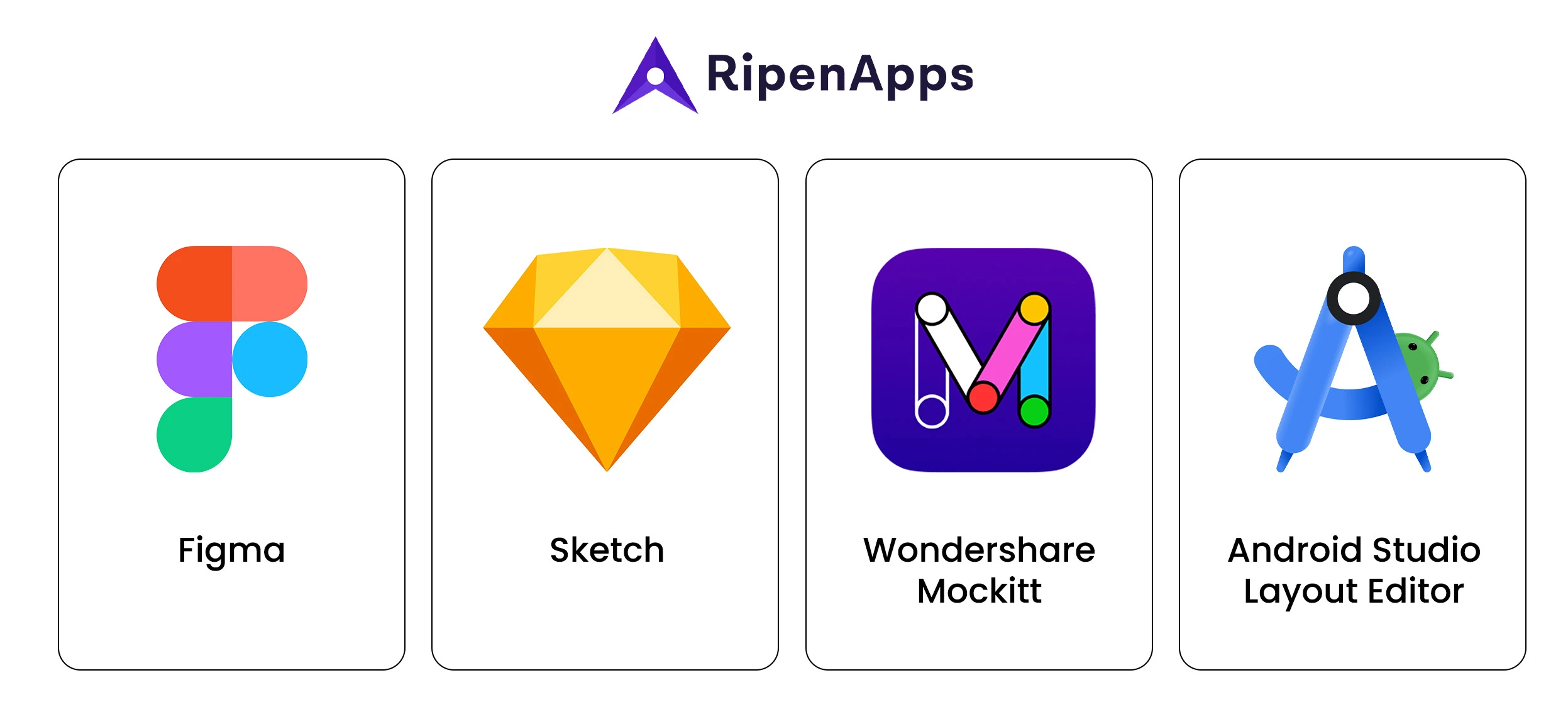
When you start thinking about how to design an Android app, the tools play a significant role. They shape your workflow, team collaboration, and the overall quality of your Android app user interface. Whether you are investing in an MVP or an enterprise, the right tools help you leverage the top mobile UI designing trends and make the process faster. Here are the widely used Android app design tools:
1. Figma
Figma remains a widely used tool for Android app design because it supports collaborative design workflows, wireframes, high-fidelity screens, reusable components, and interactive prototypes in one environment.
Figma is particularly useful for:
- Real-time collaboration
- Android and Material UI components
- Design systems and reusable components
- Interactive prototypes
- Developer handoff
2. Sketch
Sketch is another design and prototyping tool used by product teams, particularly those working within macOS-based environments. It can support interface design, reusable components, and lightweight design systems.
Sketch can be useful for:
- Designers who prefer local design workflows
- Creating reusable interface components
- Developing structured UI systems
3. Wondershare Mockitt
Wondershare Mockitt is a cloud-based design and prototyping platform that supports interactive UI and UX design. Its collaborative workflow allows multiple team members to contribute to projects while creating prototypes and interface flows.
Mockitt can help teams:
- Collaborate on design projects
- Create interactive prototypes
- Build interface flows
- Explore AI-assisted design capabilities
4. Android Studio Layout Editor
Once you finish designing UI screens, the Android Studio Layout Editor comes as one of the top UI/UX designing tools, which can translate those designs into actual layouts. This software lets you preview how the Android app layout responds on different screen sizes, which is necessary when designing apps for Android due to device diversity.
This software is good for:
- Containing various UI elements (views and viewgroups)
- Offering controls for configuring the layout’s appearance
- Previewing the layout on different devices and screen sizes.
Key Factors To Consider Before Designing Your Android App
Before you jump into screens, colors, and layouts, it’s important to get the foundation right. Android app design works best when it aligns with real user behavior, business goals, platform standards, and technical requirements.
1. Understand Who You’re Designing For
Every app solves a specific problem. Before sketching a screen, get clear about who your users are.
Consider:
- What is their age group?
- How comfortable are they with technology?
- What device sizes are they likely to use?
- What problems are they trying to solve?
- Which actions matter most to them?
These answers will guide how simple or detailed your Android app user interface should be.
2. Study the Android Ecosystem
Designing for Android means accounting for a broad range of devices, resolutions, hardware capabilities, and usage conditions. Your design should therefore consider:
- Flexible layouts
- Scalable typography
- Adaptable components
- Different screen densities
- Phones, tablets, and foldables
- Performance on lower-end devices
Considering these factors helps ensure that the Android user interface remains useful beyond the designer’s primary testing device.
3. Follow Material Design Principles
Google offers clear Android user interface design guidelines (Material Design) to make apps feel predictable and comfortable for users. You don’t have to copy everything. You should leverage material design in your Android app to avoid confusion and usability issues. Consider this a rule book of Android app design, which can be the key to a successful and beautiful design.
4. Prioritize Simplicity and Clarity
Good UI isn’t about showing everything. It’s about showing users what matters when they need it. When you design an app for Android, keep screens focused, reduce unnecessary steps, and make important actions easy to identify.
A clear interface allows users to move from one task to another without having to think too much about how the application works.
5. Think About Experience, Not Looks
Color and typography are important, but they are only part of the overall experience. Load time, touch targets, feedback, gestures, transitions, error states, navigation, and the choice of Android frameworks all influence how users perceive the application.
A visually attractive interface can still create a poor experience if users struggle to complete basic tasks. The design should therefore work closely with the selected technology and framework to ensure that the intended experience can be implemented smoothly and perform reliably across Android devices.
6. Maintain UI/UX Consistency
Android applications contain many interface elements, and those elements should behave consistently throughout the product. For example, if primary buttons use a particular shape, hierarchy, and interaction style, that pattern should remain recognizable across screens.
Consistent components reduce cognitive load and help users understand the interface more quickly. Businesses can use professional mobile app development services USA to maintain consistency between design and implementation.
7. Establish Visual Hierarchy
A clear visual hierarchy helps users understand information quickly and take action with confidence. Color, size, spacing, typography, and positioning can guide attention toward the most important information.
A strong hierarchy can:
- Reduce friction
- Improve task completion
- Make information easier to scan
- Support important business goals
When visual order is intentional, the application feels more intuitive and easier to use.
Read More: Top Android App Development Trends
8. Adaptive and Responsive Design
Android applications increasingly need to work across more than conventional smartphone screens. Tablets, foldable devices, larger displays, and different orientations require layouts that can adapt rather than simply stretch.
Designers should use flexible layouts, scalable components, appropriate spacing, and responsive navigation patterns. Important content should remain accessible when the available screen space changes, while interactions should continue to feel natural across device configurations.
Adaptive design should be considered during wireframing and prototyping rather than added after the primary phone interface has already been finalized.
9. Accessibility and Inclusive Design
Accessibility should be part of Android app design from the beginning. Users may interact with applications using screen readers, larger text settings, alternative input methods, or other accessibility features.
Design teams should consider sufficient contrast, readable typography, appropriately sized touch targets, meaningful labels, clear error messages, and logical focus order. Inclusive design can make the application easier to use for a wider range of people while improving overall usability.
How To Design An Android App?
Now it’s time to look at the step-by-step process of designing an Android app for your business. A structured design workflow can help teams identify usability problems early and create a stronger foundation before development begins.
Step 1: Conduct Thorough Research
Begin by researching competing applications and studying examples from your industry. This provides insight into existing user expectations, common interface patterns, and opportunities for differentiation.
Audience Research
Figure out the needs of your target audience. Reviews, testimonials, interviews, surveys, and existing product data can help reveal what users value and where they experience friction.
Competitor Research
Study what competing applications are doing, particularly the UI/UX patterns and features they have incorporated. However, competitor research should inform your decisions rather than encourage direct copying. A UI UX design agency can help analyze these patterns and identify opportunities to create a more distinctive and user-focused experience.
Step 2: Plan the User Interface
Once research is complete, the next step is to map the application’s screens and user journeys. A clear interface plan can show how users move from one task to another and identify unnecessary steps before detailed visual design begins.
Working with an enterprise application development company experienced in Android applications can also help connect design decisions with technical requirements.
Step 3: Create Wireframes and Prototypes
Wireframing is a fundamental part of Android app design. It creates a visual representation of the application’s structure and shows where important content and interactions will appear.
Low-fidelity wireframes can first establish the basic structure. Designers can then move toward higher-fidelity prototypes using tools such as Figma to simulate important user journeys before development.
Step 4: Integrate Visual Design
An Android app needs to be visually appealing while remaining consistent and usable. This stage involves integrating color, typography, icons, imagery, spacing, components, and branding into the approved structure.
A well-defined visual system makes it easier to maintain consistency across screens and future of Android features.
Step 5: Refine Layout and Navigation
The goal of Android app layout and navigation is to create a structure that feels simple, organized, and predictable. Users should understand where they are, what they can do next, and how to return to previous screens.
Responsive and adaptive behavior should also be reviewed at this stage so that the interface remains usable across different Android devices.
Step 6: Test With Real Users
User interface design evolves through testing and feedback. Involving users early can reveal where they become confused, which actions are difficult to discover, and which parts of the interface require improvement.
Usability testing can help teams validate design decisions before launch and reduce the risk of building an experience based entirely on internal assumptions.
10 Best Practices for Android App Design
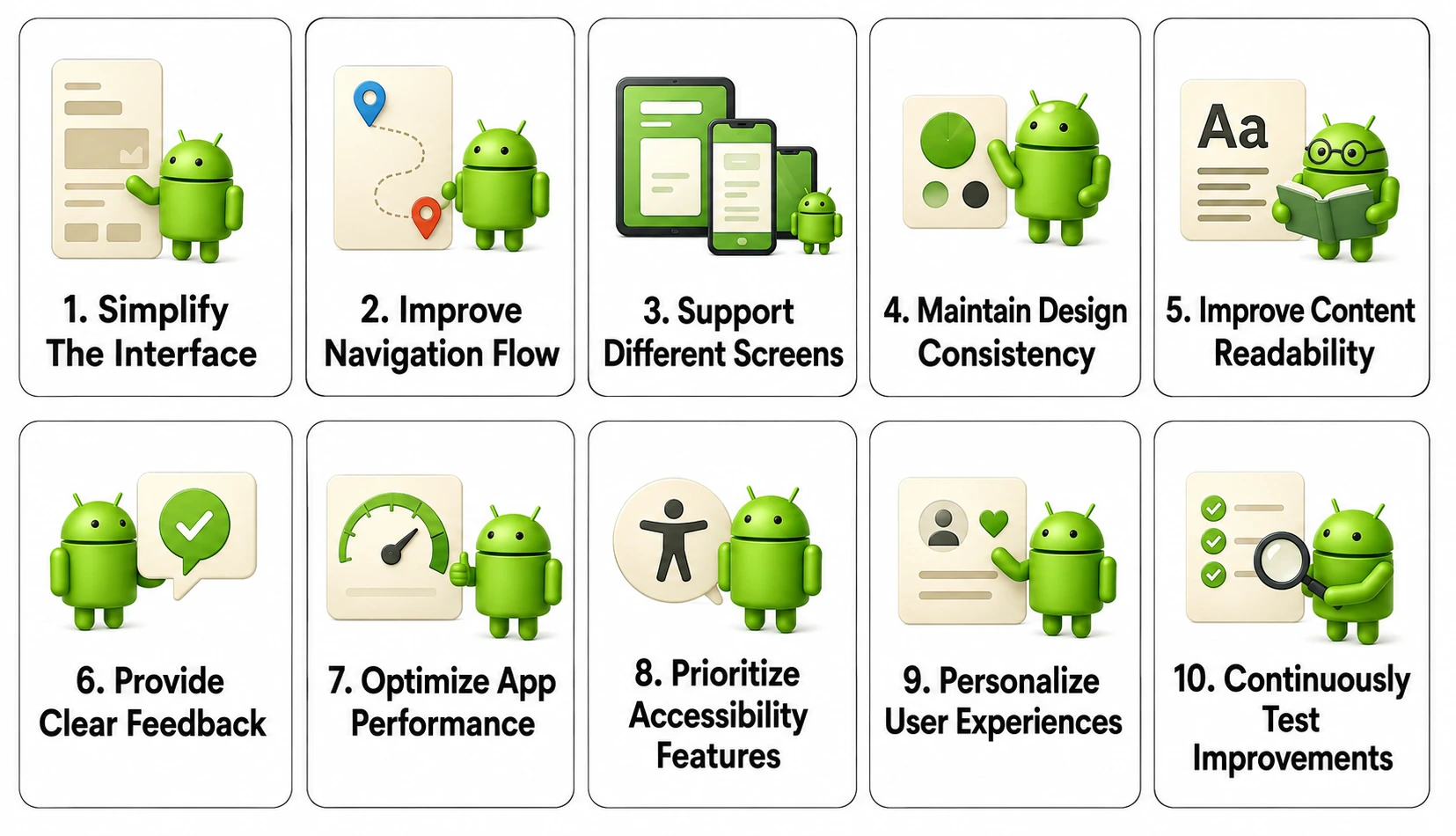
A successful Android application needs more than attractive screens. The design should make important tasks easy to understand, support different devices, and create a consistent experience from the first interaction to the final action. The following practices can help businesses create Android applications that are intuitive, accessible, and practical.
1. Keep the Interface Simple
The user interface should be clean, focused, and easy to understand. Avoid adding unnecessary elements that can distract users from completing their primary tasks.
Each screen should have a clear purpose. Use whitespace, logical grouping, readable typography, and clear calls to action to guide users through the experience without overwhelming them.
2. Make Navigation Intuitive
Navigation should help users move through the application without confusion. Important sections should be easy to find, while frequently used actions should require as few steps as possible.
Use familiar Android navigation patterns where appropriate and maintain consistency throughout the application. Users should always have a clear understanding of where they are and how they can move to the next step.
3. Design for Different Screen Sizes
Android users may access the same application on smartphones, tablets, foldables, and other screen configurations. A layout designed for only one device size can create usability problems elsewhere.
Use responsive layouts and adaptive components so that content, navigation, images, and interactive elements adjust appropriately to the available space. Test important screens across different configurations before launch.
4. Use Consistent Design Elements
Consistency creates familiarity. Buttons, icons, typography, colors, spacing, forms, and other components should follow a defined design system throughout the application.
When users understand how one component behaves, they should be able to predict how similar components will work elsewhere. This reduces cognitive effort and makes the application easier to learn.
5. Make Content Easy to Read
Typography plays an important role in Android app usability. Choose readable fonts, establish a clear hierarchy, and provide sufficient spacing between text elements.
Avoid overcrowding screens with excessive information. Headings, supporting text, labels, and calls to action should have a clear visual relationship so users can quickly scan and understand the content.
6. Provide Clear Feedback
Users should know what happens after they interact with an application. Buttons, forms, payments, uploads, navigation actions, and other interactions should provide appropriate feedback.
Loading indicators, confirmation messages, error states, progress indicators, and success notifications can help users understand whether an action has been completed or requires further attention.
7. Optimize App Performance
Design and performance are closely connected. Slow loading screens, excessive animations, large assets, and complicated interactions can negatively affect the overall user experience.
Designers and developers should work together to ensure that visual elements do not unnecessarily increase performance requirements. Applications should also be tested under different network and device conditions.
8. Prioritize Accessibility
Accessibility should not be treated as an optional enhancement. Design interfaces that can be understood and used by people with different abilities and preferences.
Consider color contrast, readable text, appropriate touch targets, meaningful labels, screen-reader compatibility, and clear focus states. Accessibility improvements often make interfaces easier for everyone to use.
9. Personalize the Experience
Personalization can make an application more relevant by adapting content or recommendations to individual users. Depending on the product, this may include recently used features, preferred settings, recommended content, saved items, or personalized notifications.
Personalization should remain useful rather than intrusive. Give users appropriate control over preferences and avoid making assumptions that could create friction.
10. Test and Improve Continuously
Android app design should not stop when the application is launched. User behavior, reviews, analytics, and usability testing can reveal opportunities for improvement.
Monitor important journeys and identify where users drop off or encounter problems. Regular iteration allows businesses to refine the experience as user expectations, Android devices, and product requirements change.

AI-Powered Android App Design
Artificial intelligence is becoming increasingly relevant to mobile product experiences. Rather than adding AI simply because it is a current trend, businesses should identify areas where intelligent functionality can make an existing user journey faster, easier, or more personalized.
AI can support Android applications through personalized recommendations, intelligent search, conversational interfaces, automated customer support, predictive suggestions, content generation, and context-aware experiences.
For example, an ecommerce application could recommend products based on previous interactions, while a productivity application could summarize information or suggest actions based on user activity. The design challenge is to make these capabilities understandable and useful without making the interface unnecessarily complicated.
AI-powered experiences should also communicate clearly when AI is being used, provide users with appropriate controls, and include suitable feedback or correction mechanisms when automated results are inaccurate.
Android App Design Trends
Android app design continues to evolve as devices, technologies, and user expectations change. Businesses planning new applications should consider the following trends when defining their product experience.
1. Adaptive User Interfaces
Adaptive design is becoming increasingly important as applications need to work across phones, tablets, foldables, and different orientations. Interfaces should respond intelligently to available screen space instead of simply stretching a phone layout.
2. AI-Driven Experiences
AI is increasingly being integrated into everyday application workflows. Intelligent search, recommendations, personalization, automation, and conversational interactions can help users complete tasks with fewer steps.
3. Accessibility-First Design
Accessibility is becoming a more important part of product design. Businesses are increasingly considering readable typography, contrast, touch targets, assistive technologies, and inclusive interaction patterns from the beginning of the design process.
4. Personalized Experiences
Applications can use relevant behavioral and contextual information to make content more useful to individual users. Personalization can appear through recommendations, preferred settings, saved actions, and customized content.
5. Performance-Focused Interfaces
Users expect applications to respond quickly. Lightweight interfaces, optimized assets, efficient animations, and thoughtful loading states can contribute to a smoother experience, particularly on devices with limited resources or slower networks.
Android App Design Cost
The cost of Android app design depends on the complexity of the application, number of screens, user roles, level of customization, research requirements, prototyping, design system requirements, and testing scope.
A simple application with a limited number of screens will generally require less design effort than a complex platform containing multiple user journeys, dashboards, personalized experiences, real-time functionality, and different device layouts.
Other factors that can influence the budget include:
- User research and competitor analysis
- Wireframing and information architecture
- UI design and design systems
- Interactive prototypes
- Custom illustrations and graphics
- Animation and micro-interactions
- Accessibility requirements
- Tablet and foldable support
- Usability testing
- Developer handoff and design documentation
Businesses should therefore define the scope and design requirements before estimating the final budget. A clear design roadmap can also reduce rework during development by identifying usability and interface issues before implementation.
Why Invest in Professional Android App Design?
Professional design can help businesses transform complex functionality into an experience that users can understand and navigate easily. Designers can combine user research, interaction design, visual systems, prototyping, testing, and platform-specific considerations to create a more cohesive product.
For startups, this can help establish a strong foundation before development begins. For established businesses, redesigning an existing Android application can address usability problems, modernize the interface, and improve consistency across important customer journeys.
The objective should not simply be to make an application look modern. The design should support the product’s business goals while making the experience easier and more useful for the people who use it.
Conclusion
Android app design is about creating an experience that is simple to understand, easy to navigate, visually consistent, and adaptable to different users and devices. Following Android design principles, maintaining accessibility, optimizing performance, and testing real user journeys can help businesses create applications that deliver lasting value.
As Android continues to evolve, businesses should also be prepared to adapt their designs. Adaptive interfaces, AI-powered functionality, personalization, accessibility, and performance will increasingly influence how users interact with mobile applications. A thoughtful design process can help businesses introduce these capabilities without compromising usability.
The strongest Android applications are not necessarily the ones with the most features. They are the ones that understand their users, solve a genuine problem, and make every important interaction feel natural.

FAQs
Q1. What are the best Android app design practices?
The best Android app design practices include keeping the interface simple, using intuitive navigation, following Material Design principles, supporting different screen sizes, maintaining consistency, prioritizing accessibility, optimizing performance, and testing with real users. The design should focus on helping users complete important tasks with minimal friction.
Q2. How much does Android app design cost?
Android app design costs vary depending on the application’s complexity, number of screens, user roles, research requirements, prototyping, visual design, animations, accessibility, and testing. A simple application requires less design effort than a complex platform with multiple user journeys, custom components, adaptive layouts, and advanced functionality.
Q3. What is Material Design in Android app design?
Material Design is Google’s design system for creating consistent and intuitive digital interfaces. It provides guidance for components, typography, color, layout, motion, and interaction. Businesses can use Material Design principles as a foundation while adapting the visual identity to their own brand and product requirements.
Q4. How do I design an Android app for different screen sizes?
Use responsive and adaptive layouts that can adjust to different screen sizes and orientations. Android applications should be tested across smartphones, tablets, and foldable devices to ensure that navigation, content, typography, and interactive elements remain usable and consistent.
Q5. Why is accessibility important in Android app design?
Accessibility helps make an application usable by people with different abilities, preferences, and interaction methods. Designers should consider readable typography, sufficient contrast, appropriate touch targets, meaningful labels, screen-reader support, and clear navigation when creating Android applications.
Q6. How does AI improve Android app design?
AI can make Android applications more personalized and efficient through intelligent recommendations, conversational interfaces, smart search, predictive suggestions, automated support, and context-aware experiences. AI should be introduced where it solves a genuine user problem rather than being added simply as a feature.
Q7. What tools are used for Android app design?
Popular Android app design tools include Figma, Sketch, Wondershare Mockitt, and Android Studio’s layout and preview tools. The appropriate tool depends on the team’s design workflow, collaboration requirements, prototyping needs, and development process.
Q8. How long does it take to design an Android app?
The design timeline depends on the application’s scope, number of screens, research requirements, prototyping, visual complexity, and testing. A simple application may require a shorter design cycle, while a complex product involving multiple user roles, adaptive layouts, and extensive workflows requires more time for research, design, and validation.
Q9. Should I design an Android app before development?
Yes. Designing the application before development allows businesses to define user journeys, test workflows, identify usability issues, and establish a consistent visual system before engineering begins. This can reduce development rework and provide developers with clearer requirements.
Q10. What makes a good Android app user interface?
A good Android user interface is simple, consistent, responsive, accessible, and easy to navigate. It should clearly communicate important information, provide feedback after user actions, perform efficiently, and adapt to different Android devices while maintaining a recognizable product experience.